Rocky Linux / Memo
SSH 접속 포트 변경 방법
예를 들어 SSH 접속 포트를 22에서 50022로 변경하고 싶다면, /etc/ssh/sshd_config에서 다음을
#Port 22
다음처럼 변경하고
Port 50022
서비스를 다시 시작합니다.
# systemctl restart sshd
SELINUX가 활성화되어 있다면 다음과 같이 명령하여 50022 포트를 사용할 수 있게 만듭니다.
# semanage port -a -t ssh_port_t -p tcp 50022
방화벽을 사용하고 있다면 50022 포트를 열어줍니다.
# firewall-cmd --permanent --zone=public --add-port=50022/tcp
# firewall-cmd --reload
Wi-Fi를 사용하고 싶다면
와이파이를 사용하고 싶다면 NetworkManager-wifi 패키지를 설치합니다.
# dnf install NetworkManager-wifi
비밀번호 복잡도 설정하는 방법
다음 파일 을 수정합니다.
/etc/security/pwquality.conf
파일 내용은 다음과 같습니다.
# The check is disabled if the value is 0.
# maxclassrepeat = 0
#
# Whether to check for the words from the passwd entry GECOS string of the user.
# The check is enabled if the value is not 0.
# gecoscheck = 0
#
# Whether to check for the words from the cracklib dictionary.
# The check is enabled if the value is not 0.
# dictcheck = 1
#
# Whether to check if it contains the user name in some form.
# The check is enabled if the value is not 0.
# usercheck = 1
#
# Length of substrings from the username to check for in the password
# The check is enabled if the value is greater than 0 and usercheck is enabled.
# usersubstr = 0
#
# Whether the check is enforced by the PAM module and possibly other
# applications.
# The new password is rejected if it fails the check and the value is not 0.
# enforcing = 1
#
# Path to the cracklib dictionaries. Default is to use the cracklib default.
# dictpath =
#
# Prompt user at most N times before returning with error. The default is 1.
# retry = 3
#
# Enforces pwquality checks on the root user password.
# Enabled if the option is present.
# enforce_for_root
#
# Skip testing the password quality for users that are not present in the
# /etc/passwd file.
# Enabled if the option is present.
# local_users_only
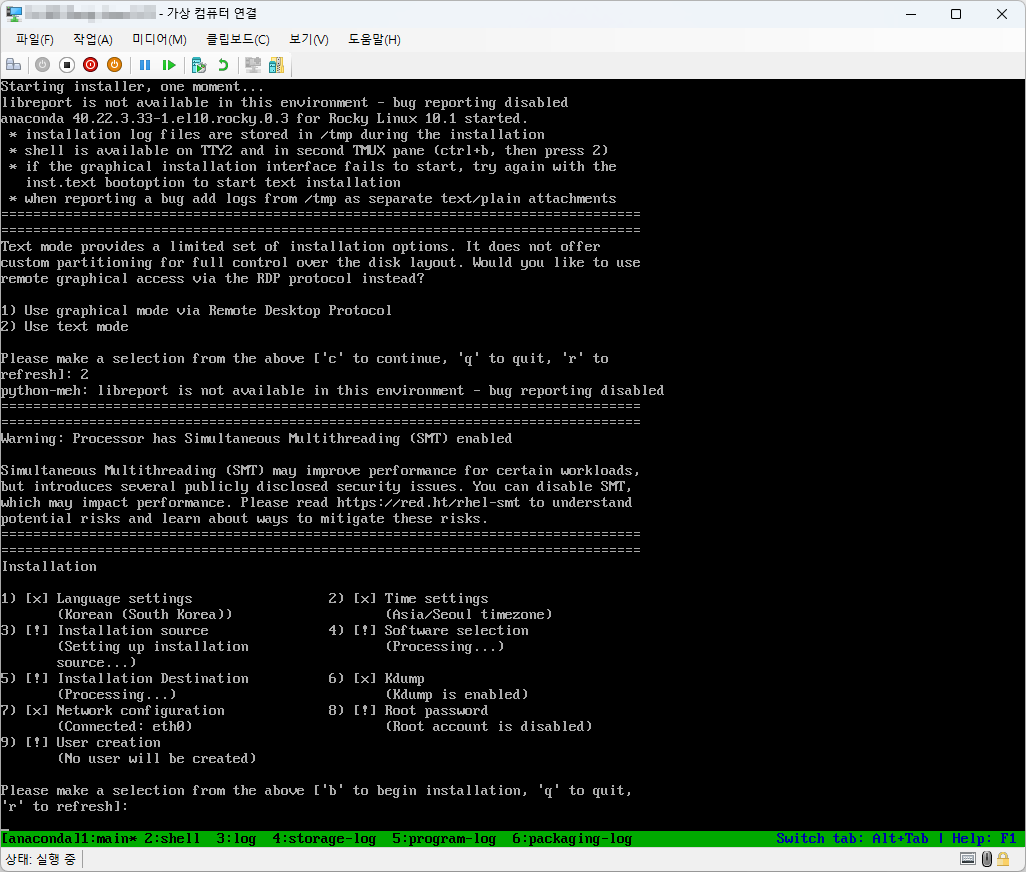
텍스트 모드로 설치하는 방법
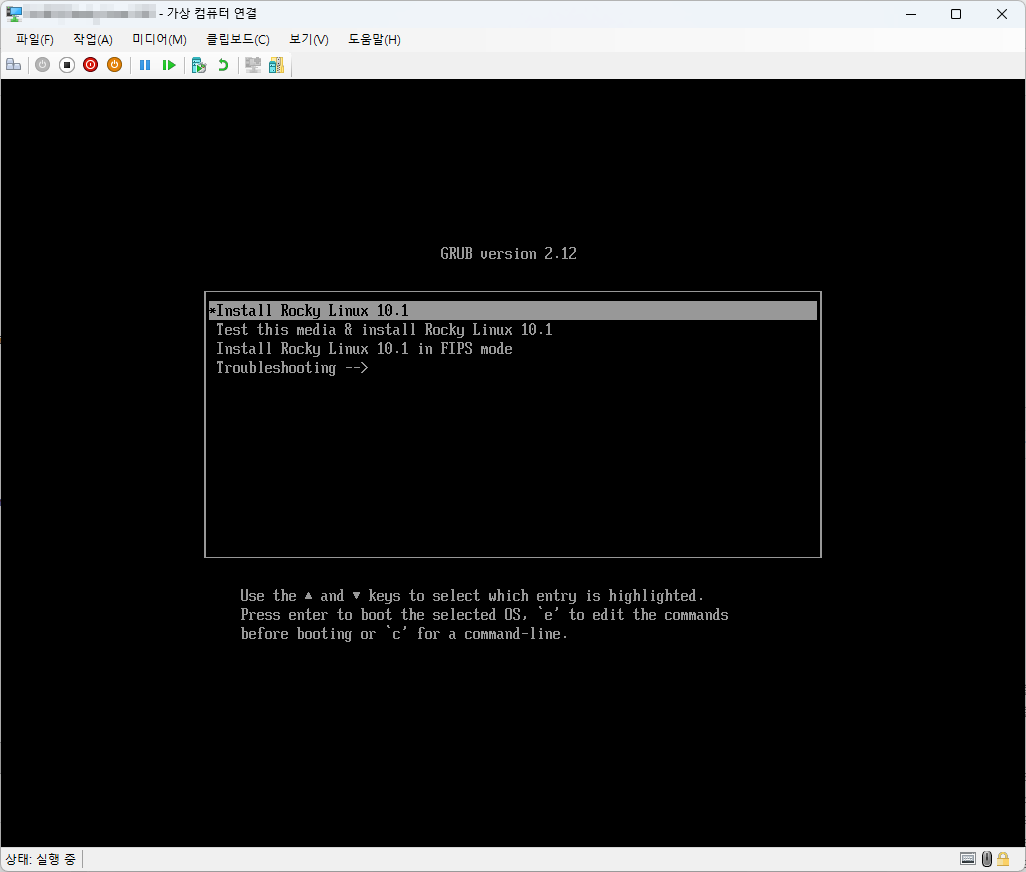
- 다음과 같은 화면이 나왔을 때 e를 입력합니다.
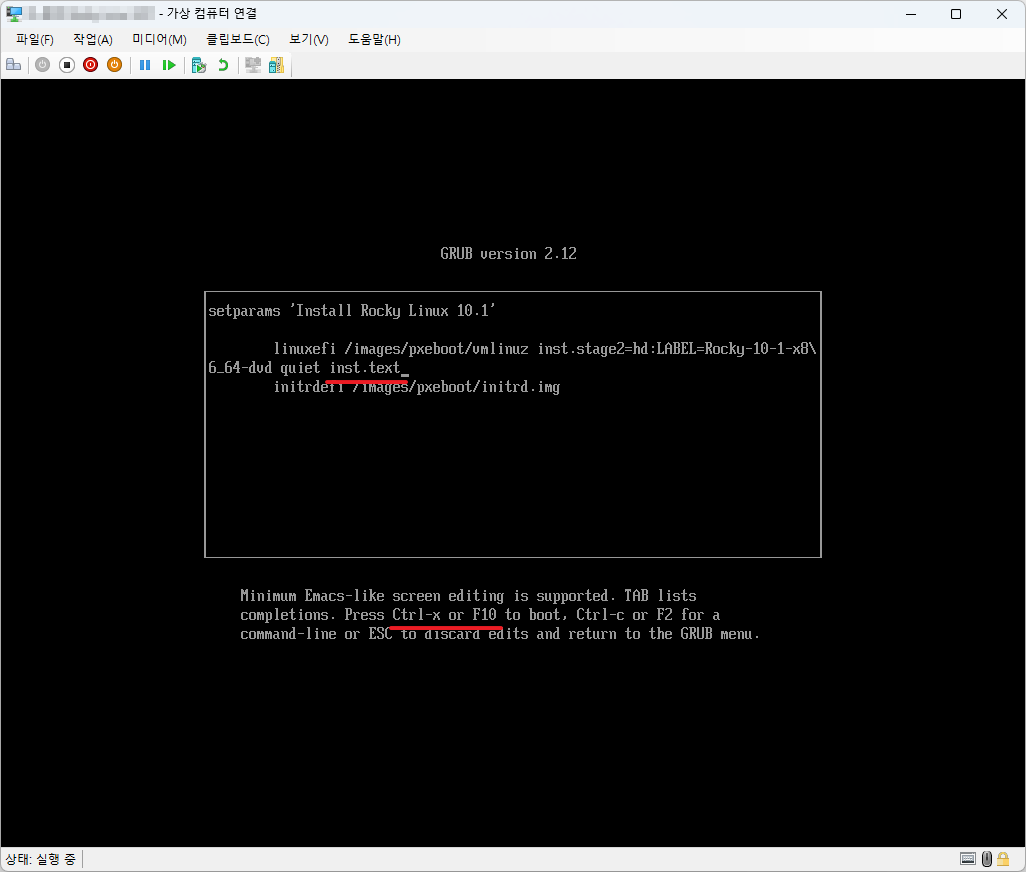
- inst.text를 추가합니다.
- Ctrl + X 또는 F10을 입력합니다.
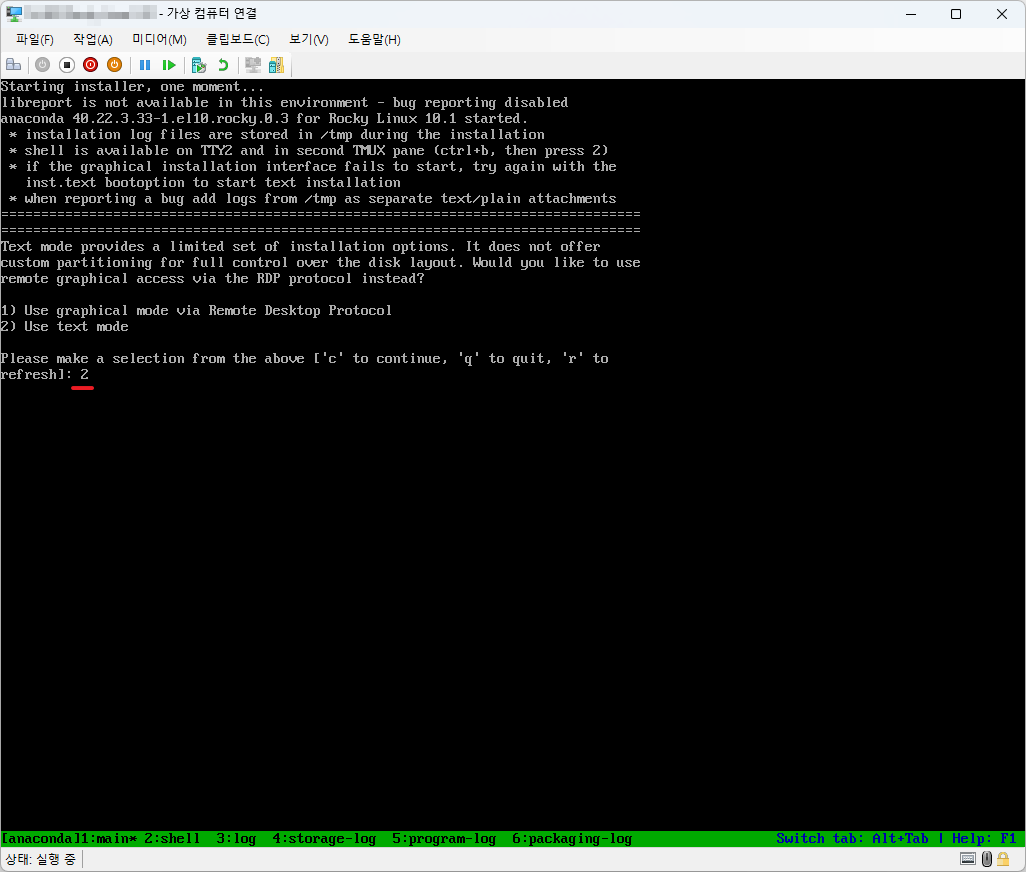
- 2를 입력합니다.
- 텍스트 모드에서 설치를 진행합니다.